New Donation Platform Guide
How do I access my account information?
Method 1:
Go to https://seltnh.donorsupport.co/login
Type in the email you used when making your donation, and we’ll email you a link that will log you in.
Method 2:
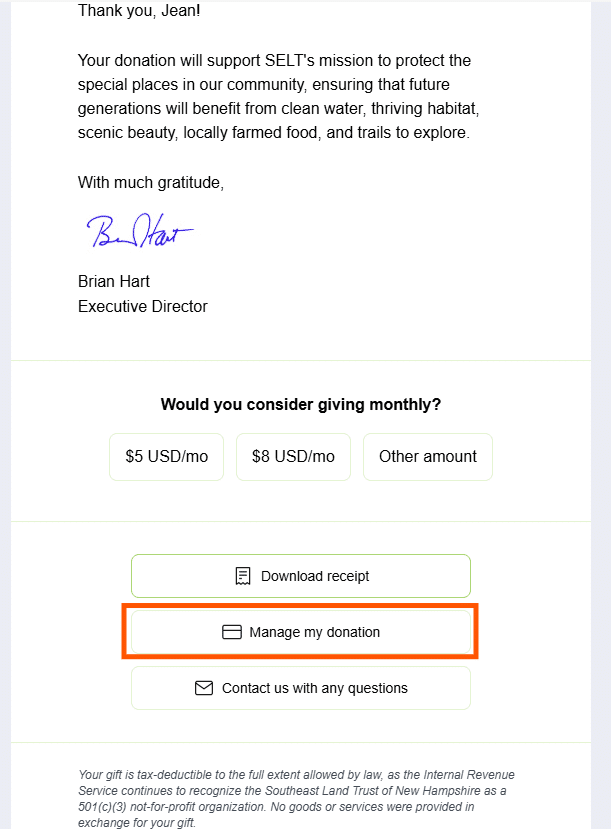
You will receive an email after making your donation or when a recurring payment is processed. At the bottom of that email, there are links to download your receipt, manage your donation, and contact us with any questions you may have.
You can get to your account by going to Manage my donation:
What can I see and do once I’m there?
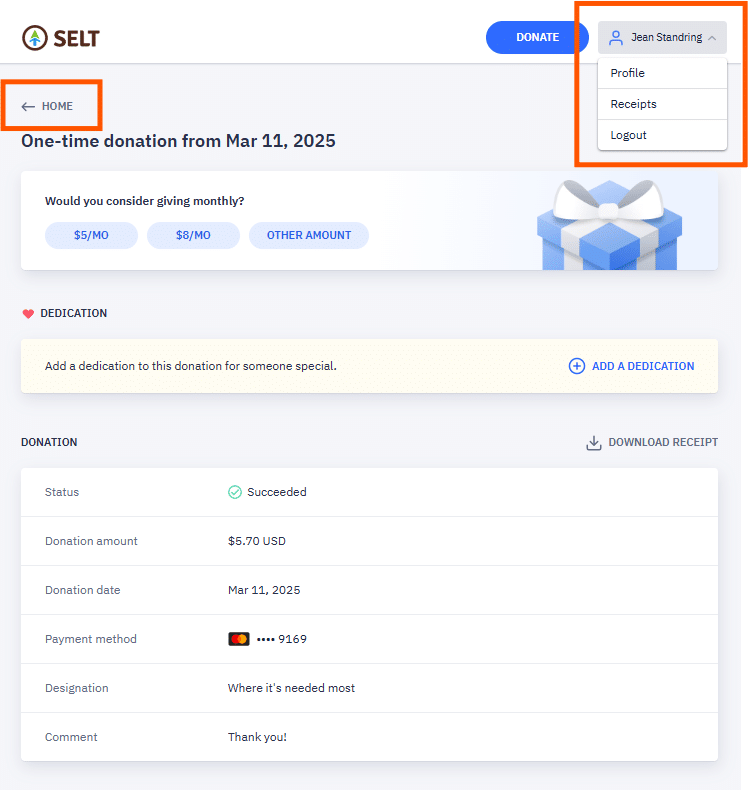
This will open a page in a browser window with the details of your donation. At the top left, there is a link to Home. At the top right of the page, click on your name and a dropdown will appear where you can select Profile, Receipts, or to Logout.
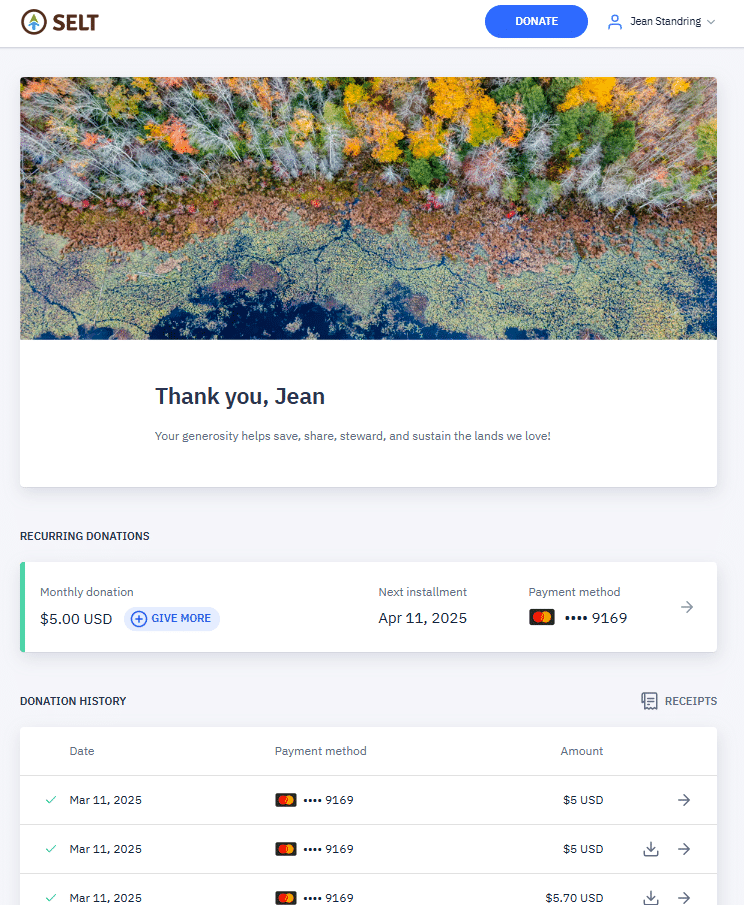
Click Home to access your online donation history and recurring donation details. From here, you can download receipts, see the donations you’ve made online, and access the details of your recurring donations.
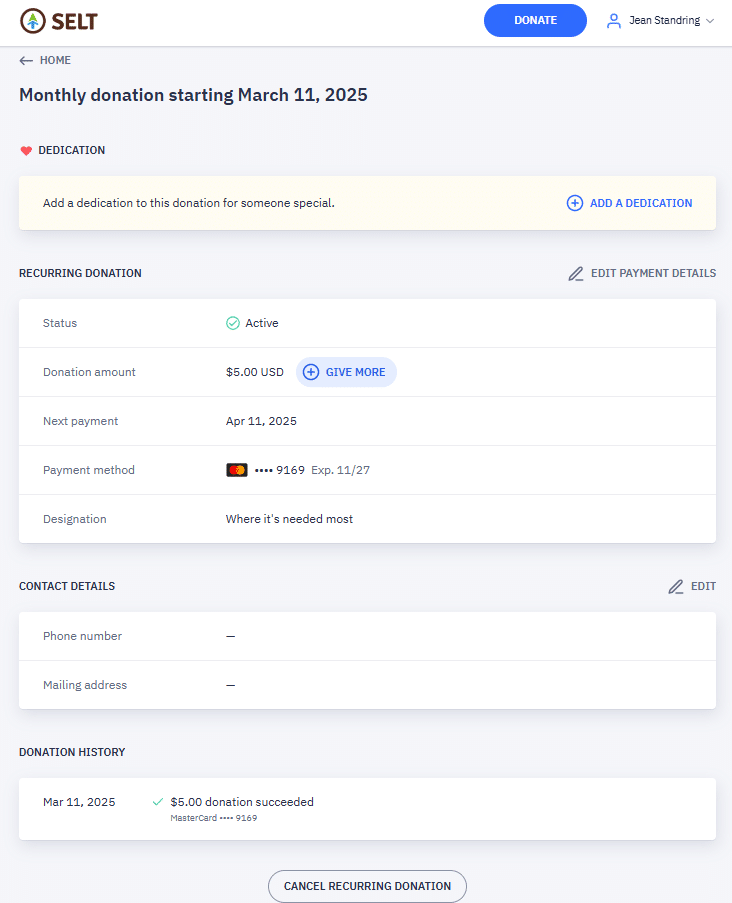
Click on your recurring donation to make any of the following changes:
- Dedicate your monthly gift
- Edit your payment details to
- Increase or decrease the amount of your monthly gift
- Change the date your monthly installment occurs
- Change your payment method
- Edit your contact details, including your phone number and mailing address
- Cancel your recurring donation.